How to Free Up Smartphone Storage: A Simple WhatsApp Setting
The popular WhatsApp messenger often consumes valuable smartphone storage by automatically saving media files to the gallery. Changing just a single setting can free up gigabytes of space.
 💡Tech
Photo: UNIAN
Key points
- WhatsApp duplicates media files in device galleries
- Disabling auto-save saves gigabytes of memory
- Built-in storage manager helps target large files
- Technical differences exist between Android and iOS cleanup
Modern smartphones offer substantial storage capacities, yet digital data tends to fill available space rapidly. This is especially true for messaging apps that process thousands of media files daily. According to tech specialists, many users face storage shortages due to WhatsApp's default behavior of duplicating received photos and videos directly into the device's main gallery.
Optimizing Storage on iOS and Android
The core issue is that images and video clips are stored twice: within the chat history and inside the system's media viewer. On iOS devices, users can completely disable the automatic export of incoming media to the default Photos app. Consequently, pictures will remain exclusively within WhatsApp, preventing unnecessary duplicates from taking up double the space.
A similar option is available for Android smartphone users, though technical differences must be considered. On Android, the gallery often creates links to the files, meaning deletion from the gallery will also remove the image from the chat. Additionally, Android users can routinely clear the app cache, which accumulates temporary data such as thumbnails and contact avatars.
Using Built-in Cleanup Tools
Beyond disabling auto-save features, WhatsApp includes a hidden storage management tool. By navigating through the settings menu, users can efficiently manage occupied space. This tool allows for quickly identifying and deleting heavy files exceeding 5 megabytes, as well as clearing media from specific conversations without sacrificing important text history.
Source UNIAN — unian.ua/techno/communications/yak-ochistiti-whatsapp-za-1-hvilinu-… ↗
Read next
Tragedy in Bilohorodka community: enemy drone destroys house, one woman killed
A Russian drone strike in the Kyiv region resulted in the death of a woman and injuries to her husband. A day of mourning has been declared.
 🇺🇦Ukraine
Diplomatic Maneuvers: Trump Discusses Talks with Putin with European Leaders
Donald Trump informed European leaders about the results of his meeting with Vladimir Putin in China, expressing optimism regarding the potential end of the war in Ukrain…
 🏙️City
EU Ambassador to Ukraine witnesses downing of enemy drone in Kyiv
Katarína Mathernová reported a dangerous incident during a Russian attack on the capital, when debris from a downed UAV exploded near her.
 🏙️City
Deployment of European Ruta Block 1 Missiles: Details of the Operation Against the Crimean Bridge
During a recent operation against the Crimean Bridge, Dutch-made Ruta Block 1 cruise missiles were deployed for the first time, marking a significant milestone in coopera…
 🏙️City
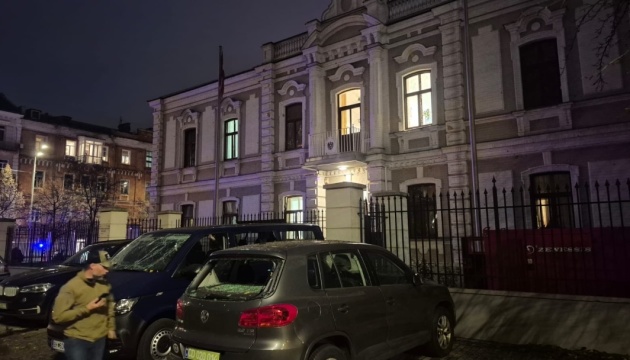
Austrian Embassy in Kyiv damaged by Russian attack
Ukrainian Foreign Minister Andrii Sybiha confirmed that the Austrian Embassy in Kyiv was damaged during a recent Russian strike.
 🎭Culture & Sport
Sony Pictures releases trailer for historical drama 'The Nightingale' starring the Fanning sisters
The first trailer for the historical drama about WWII, featuring Dakota and Elle Fanning, has been released.